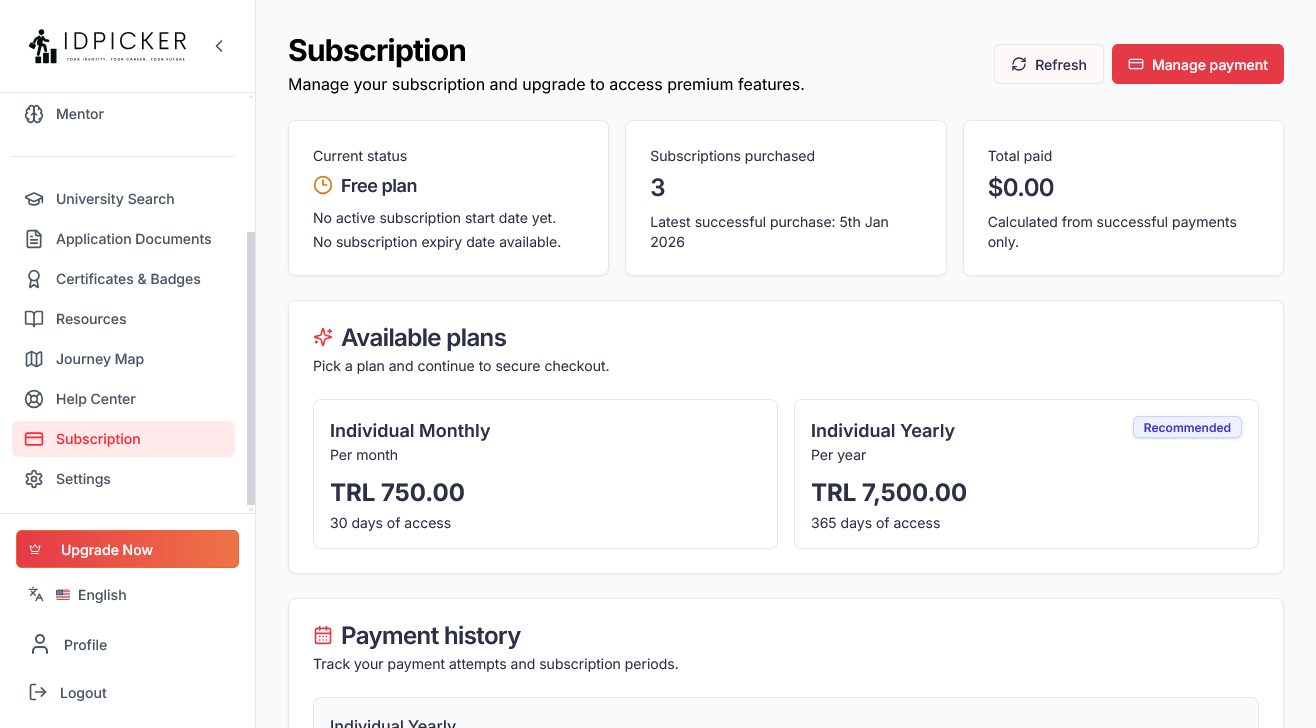
Subscription
Detailed guide to limits, quotas, and upgrade paths
This guide explains how students identify free-plan limits and use upgrade paths.
1. Understand Feature Limits
Free-plan limits can apply to:
- Mentor chat usage
- Assessment/recommendation usage counters
- Full report download availability
2. Where Students See Limit Signals
- Open a quota-sensitive module (Mentor, Assessments, Recommendations).
- Locate quota indicator or blocked state.
- Read remaining usage and limit label.
3. Upgrade Flow from Feature Context
- Reach a gated/limited action.
- Click Upgrade or equivalent CTA.
- Follow the presented flow for plan upgrade.
Note:
- Dedicated subscription page availability may vary by deployment.
- In-context upgrade prompts are currently the reliable path.
4. What to Do When Subscription Menu Exists but Page Is Missing
- Stay in module where limit appears.
- Use in-module upgrade CTA.
- Confirm post-upgrade access after completion.
Common Student Questions
Q: I can read recommendation cards but cannot download full report. A: Full report export can be plan/availability controlled.
Q: I see subscription in sidebar but route fails. A: Use in-module upgrade actions until dedicated route is enabled in your deployment.
Q: How do I check remaining usage? A: Check quota indicators shown in quota-controlled features.