Admin and Subadmin Management
How to govern internal platform access and manage subadmin permission scopes
Not all administrators need full access to every setting. This module allows you to create internal staff accounts and rigorously defend your organization’s security posture by enforcing least-privilege access.
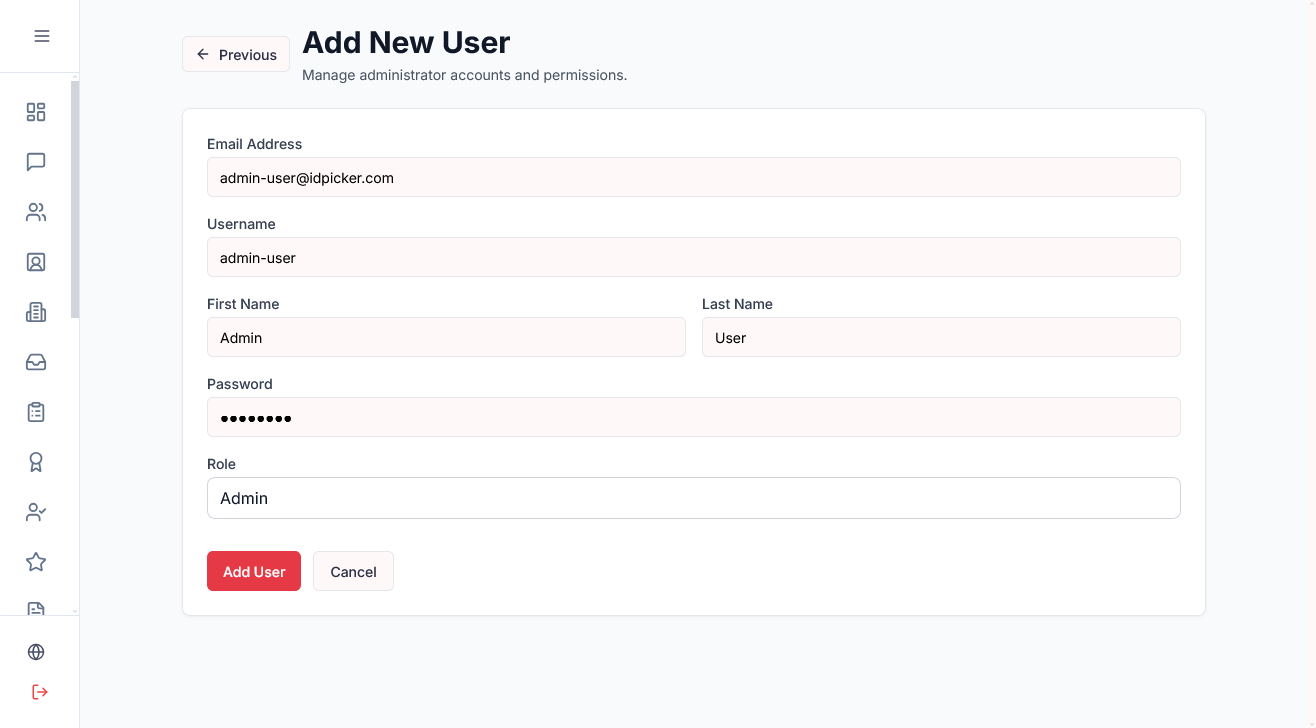
1. Creating an Admin User
- Open the Admin Management page.
- Click Add Admin.
- Fill in the required identity fields:
- Email (Must be unique across the platform)
- Username
- First / Last Name
- Set a strong temporary password. The new admin should change this immediately upon their first login.
- Select their foundational Role (e.g., Super Admin vs Content Admin).
- Click Save.
2. Managing the Permission Matrix
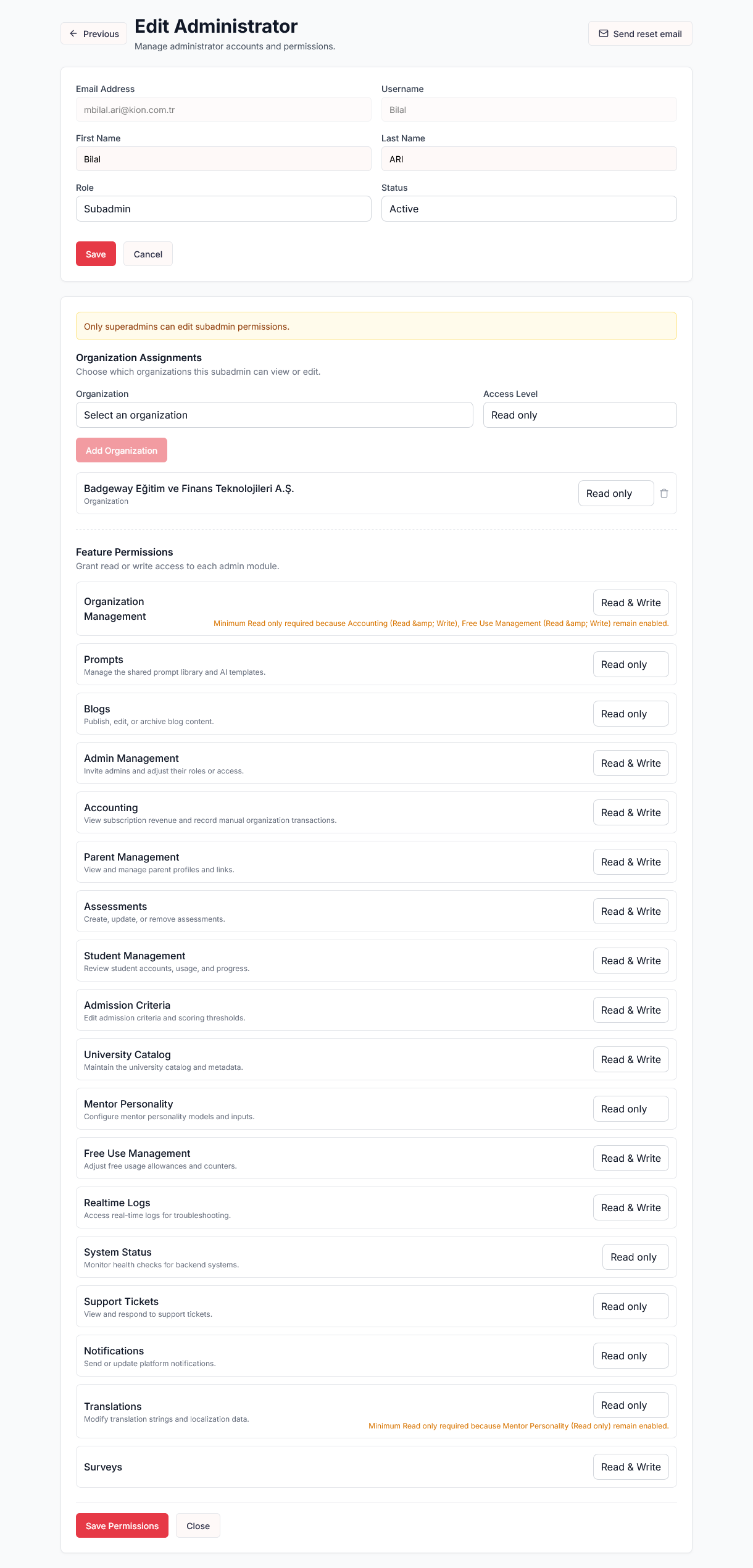
The true power of IDPicker’s internal security is the Permission Matrix, which configures access on a highly granular, per-module basis.
- Locate the target admin in your active list and click to open their Permission Panel.
- For every module (Users, Assessments, Support, Financials, etc.), set their specific access scope:
- Write: Full read/edit/delete authority.
- Read: Can view the data, but cannot change it.
- None: The module is completely hidden.
- If your platform uses multi-tenancy, you can also restrict their scope to specific Organizations rather than global access.
- Click Save Permissions.
Important: If the subadmin is currently logged in, you must instruct them to refresh their page or log out/in for the new permissions to apply to their session token immediately.
3. Subadmin Self-Auditing
If you are a subadmin and believe you are missing access to a module you need to perform your job:
- Open the Subadmin View from the sidebar.
- Review your effective permission summary. It lists exactly what you are authorized to do.
- If there is a discrepancy, reach out to your Primary Admin to update your matrix.
Common Questions
| Situation | What to do |
|---|---|
| A subadmin can see the User list, but the “Delete” button is missing | You granted them “Read” access to the Users module. They need “Write” access to execute deletions or edits |
| I updated permissions but they say nothing changed | The subadmin must manually trigger the “Refresh Permissions” action or fully re-authenticate to generate a new permission token |
| Can subadmins create other subadmins? | Usually no, unless they have explicit “Write” access on the Admin Management module itself |