Student Panel
Complete student user manual for all core features
The Student Panel is the main workspace for students in IDPicker.
This section is written for real product behavior in the current student module implementation. Use it as the primary guide for onboarding, daily usage, and troubleshooting.
Who Should Use This Guide
- Students using IDPicker for career and university guidance
- Advisors onboarding students and validating student journeys
- QA and support teams verifying student-facing flows
Suggested Reading Order
- Authentication and login
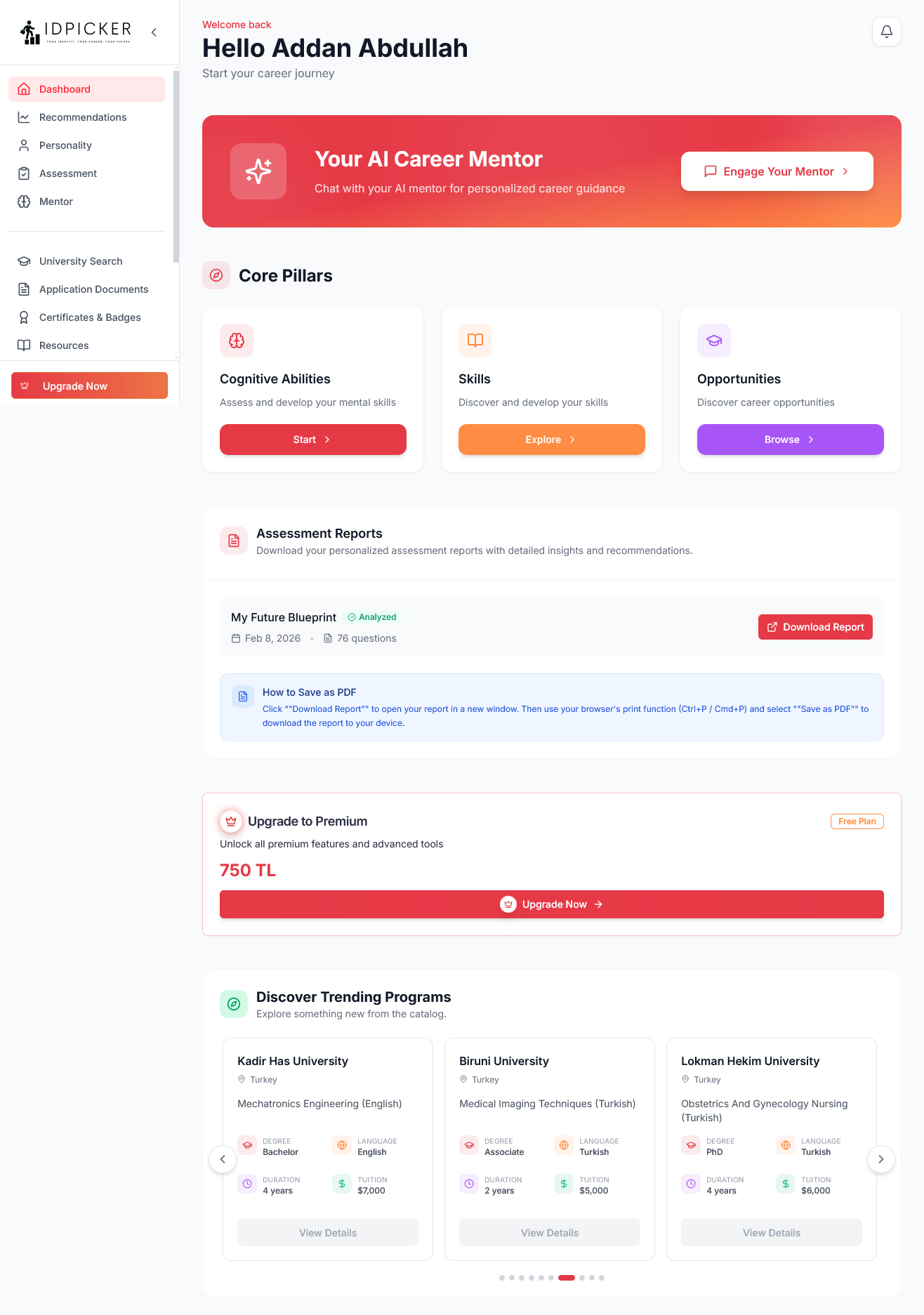
- Dashboard overview
- Self-assessment and completion
- Recommendations and track switching
- Personality analysis and report
- AI mentor and advisor chat
- University search
- Resources
- Help center
- Subscription and premium limits
- Profile and settings
- Language switching
- Certificates and application documents
- Assigned forms
Core Features & Responsibilities
This documentation covers:
- Sign in, registration, email verification, password reset
- Dashboard sections: reports, notifications, forms, invitations, promoted programs
- Assessment lifecycle: start, continue, complete, retake, results
- Recommendations for both career and university tracks
- Personality traits, chart interpretation, report download
- Mentor personalities, advisor chat, chat quota awareness
- University catalog search, filters, and pagination
- Shared resources browsing and secure download
- Support ticket creation and status follow-up
- Parent linking and account management
- Certificate viewing and application document uploads
- Assigned organization forms with dynamic field types
Screenshot Checklist
Use this list while adding images:
- Login page and Google sign-in
- Dashboard home (all modules visible)
- Assessment list (default + organization assessment card)
- Assessment in progress and results screen
- Recommendations screen (career and university)
- Personality chart and trait cards
- Mentor selection and active chat
- University search filters + result cards
- Resources filters and download action
- Help center new ticket + ticket list
- Settings (parent link and account deletion confirmation)
- Language switch dialog during in-progress assessment
- Certificates list and certificate detail dialog
- Application documents step upload workflow
- Assigned form response page
How students sign in, register, verify email, and recover access — complete step-by-step walkthroughs
Understanding every block on the student dashboard and how to use them effectively
How to take, resume, and review self-assessments to unlock your platform recommendations
How to use AI-driven university and career recommendations, refine by exam scores or personality, and filter results by country and city
How to unlock, read, and act on your personality analysis — radar chart, trait scores, and actionable growth steps
How to chat with specialized AI Mentor personalities and your human Advisor
How to find, filter, and compare the perfect higher education programs
How to find, filter, and download learning materials shared by your advisor
How to create support tickets and get help when things go wrong
How to read, manage, and act on platform notifications in your student account
Detailed guide to limits, quotas, and upgrade paths
Detailed click-by-click profile and settings walkthrough
Detailed click-by-click language switching walkthrough
Detailed click-by-click certificates and document workflow
Detailed click-by-click assigned forms walkthrough