AI Mentorship
The Mentor Hub is your central communication space. Here, you can seek advice from specialized AI personalities or chat directly with your assigned human advisor.
1. Starting a Chat with an AI Mentor
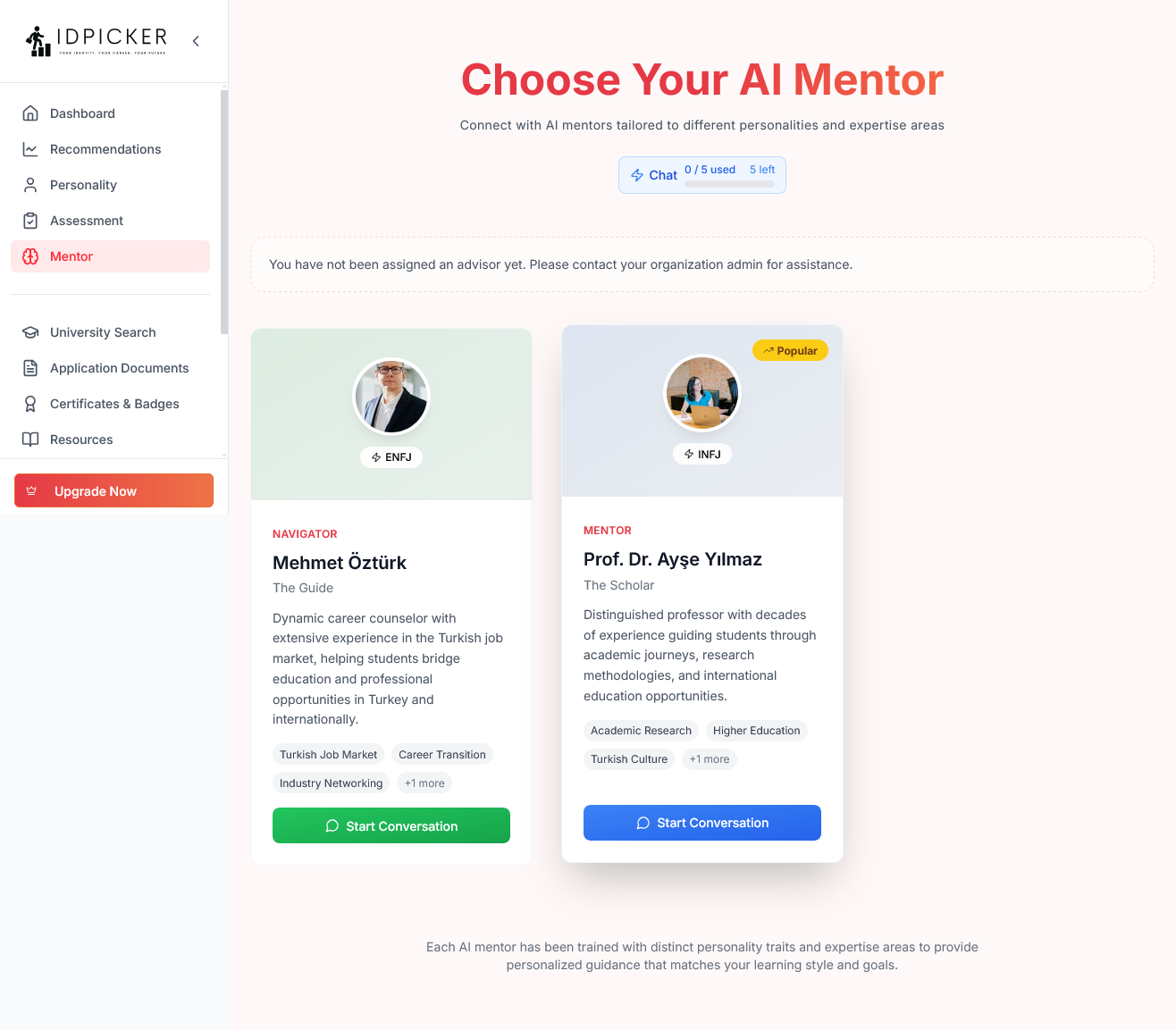
IDPicker provides multiple AI personalities, each tuned for specific types of advice (e.g., strict academic planning, empathetic career counseling, technical skills building).
- In the sidebar, click Mentor.
- Browse the grid of available mentor cards to find a personality that fits your current question.
- Click Select/Open on your preferred mentor.
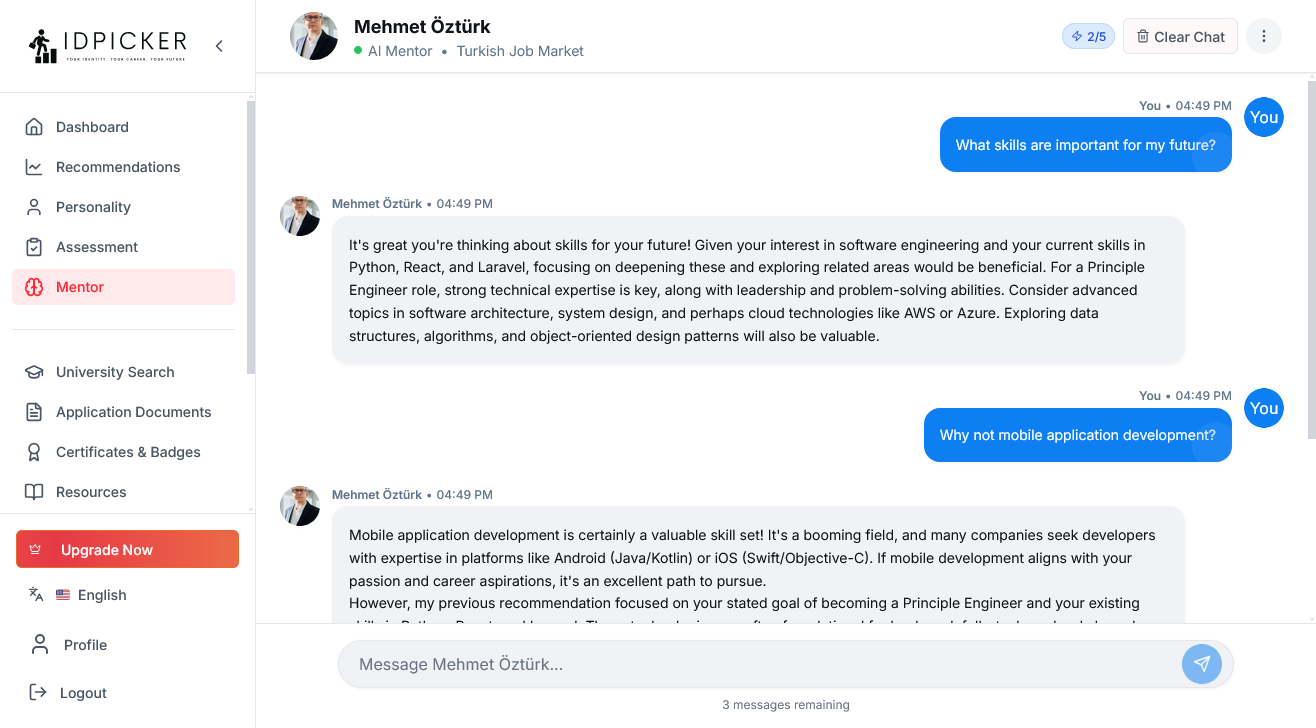
- Once the chat interface opens, type your question into the message box at the bottom.
- Click the Send icon.
- The AI will respond in real-time, contextually aware of your personality and recommendation profile!
Quota Warning: Depending on your subscription, you may have a chat quota. A progress bar usually indicates how many messages you have left. Use your prompts wisely!
2. Resuming a Recent Chat
You do not have to start over every time.
- In the Mentor Hub, look for the Recent Chats list.
- Click on a recent thread.
- The chat history will load, and you can pick up the conversation exactly where you left off.
3. Chatting With Your Human Advisor
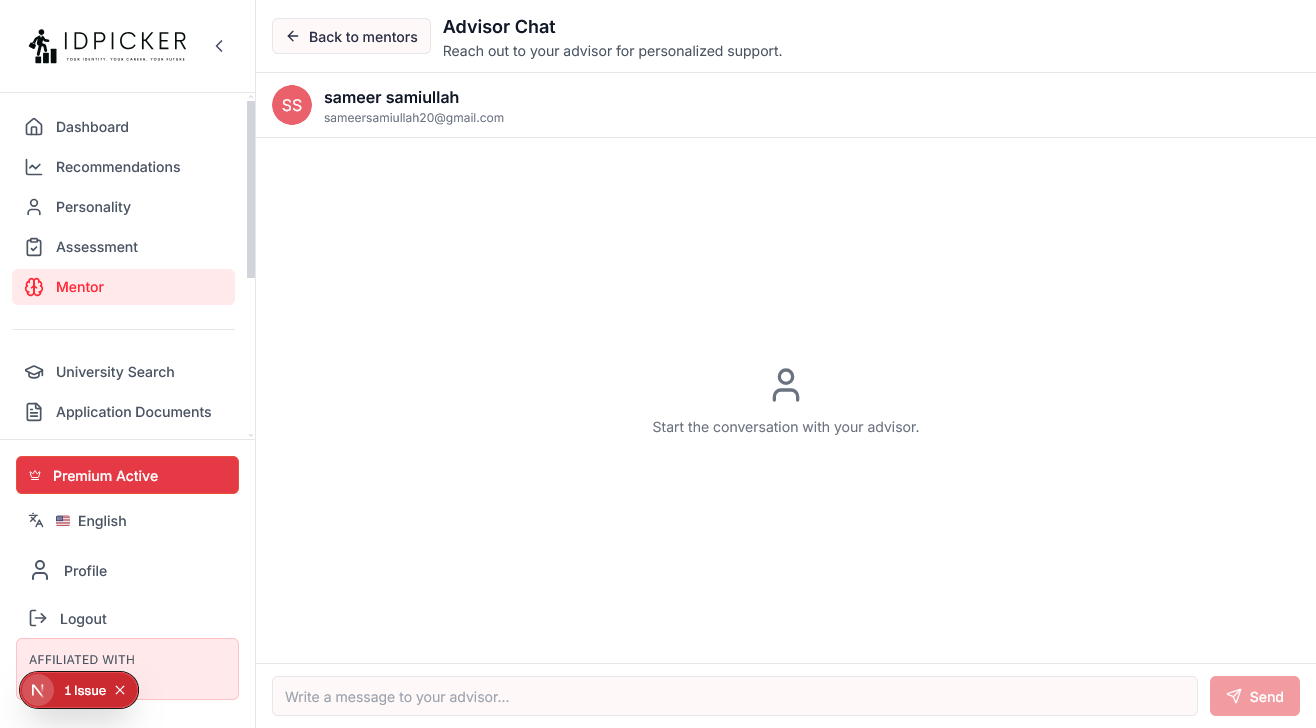
If your account is linked to an organization or school, your human advisor manages your progress. You can message them directly here.
- On the main Mentor page, look for the Advisor section.
- You will see your advisor’s name, last known activity, and a red badge if you have unread messages.
- Click the Chat with Advisor button.
- Type and send your message. When your advisor replies, you will be notified on your dashboard.
Note: If the advisor section says “No advisor linked,” your account operates independently and this feature is disabled.
Common Questions
| Situation | What to do |
|---|---|
| I clicked a mentor but the chat didn’t open | Refresh the page and try again; verify your network is stable |
| The Advisor chat button is greyed out | You do not currently have a human advisor linked to your account |
| My messages stopped sending | You have likely hit your chat quota limit. Check your subscription settings |